Trusted by UK warehouse, logistics and manufacturing teams






How The HS Manager works: inspect, evidence, report
Inspect on any device, online or offline
Complete any checklist on iOS, Android or Windows devices. Add notes using voice recognition and keep reporting without a signal in cold stores and loading bays.
Attach date-stamped, geotagged photo evidence
Every photo is attached to the question it answers and stamped with the time, date and location, so you can show exactly when and where each photo was taken.
Share PDF reports in seconds
Finish the inspection and the report is ready to share. Failed items become corrective actions with an owner and a due date, tracked until closed. Incidents are logged.
See the reports you will produce
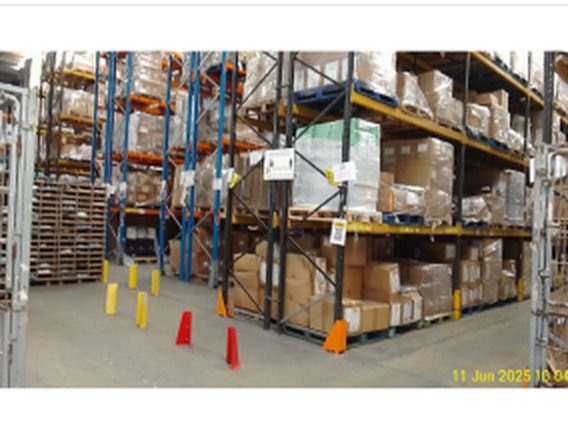
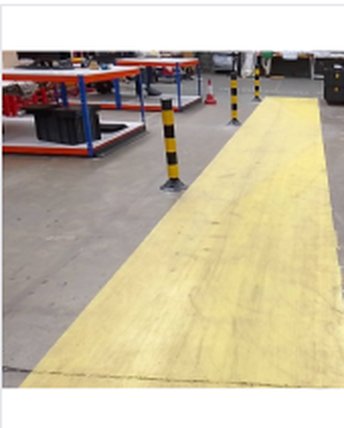
One platform. Two very different days.
Multi-site governance you can defend in an audit
- Real-time dashboards across every site, region and template
- RIDDOR-ready incident workflows with a full evidence trail
- Secure, UK-hosted cloud data storage
Inspections finished before the shift ends
- Live within two hours, with no IT required
- Ready-made checklists, so nothing to build from scratch
- See which inspections are done without chasing anyone
How do you manage health and safety across multiple sites?
The HS Manager brings every inspection from every site into one live dashboard, so you can spot where risk is building before it becomes an incident.
Racking inspections
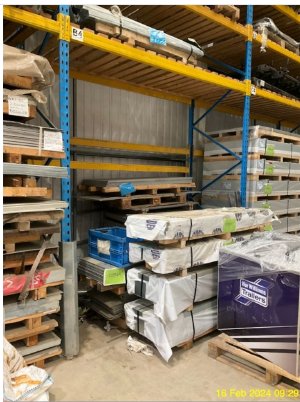
How do you record a SEMA racking inspection?
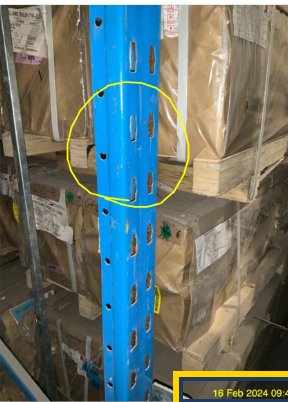
Red, amber and green damage ratings
Classify each fault the way SEMA guidance expects, so severity is unambiguous.
Fault location down to beam level
Record the run, bay and beam so the repair team knows exactly where to go.
A damage register that holds up
Every inspection builds the running record an auditor or insurer will ask to see.


What inspection checklists come with The HS Manager?
Grouped by the UK regulation or guidance they cover
Ready-made templates cover your whole operation, from COSHH and LOLER to SEMA racking. Use one straight away, adapt it to your site or build your own with the form builder.
Health and safety inspection software: frequently asked questions
These are the questions QHSE, warehouse and logistics managers ask before rolling out The HS Manager.
Yes. The checklists are based on HSE guidance and UK regulations, including RIDDOR 2013, COSHH 2002 and the Management of Health and Safety at Work Regulations 1999, and you can adapt any of them to your site. The HS Manager helps you record and evidence inspections; compliance stays with the duty holder.
Yes. The HS Manager app (iOS, Windows and Android) is fully functional offline, essential for cold stores and loading bays. Completed inspections and photo evidence are saved securely to the device and automatically synced once connectivity is restored.
Yes. For unique assets or specific internal protocols, our intuitive drag-and-drop builder allows you to digitise bespoke inspections in minutes. This ensures every check meets your exact internal standards while maintaining a professional, audit-ready format.
Most customers are operational within two hours. Our onboarding team helps you set up your account, and you can start straight away with the 72 HSE-aligned templates.
In the UK. Every inspection record, photo and signature is held in UK-based secure cloud storage, on infrastructure certified to ISO 27001. We do not store sensitive financial data.
Following your trial, you can subscribe monthly at £25 + VAT per user, or yearly at £240 + VAT per user, a 20% saving. If you decide not to proceed, your access will expire automatically with no obligation and no manual action required to avoid charges.
More questions
Absolutely. Our library of 72 pre-built checklists covers racking, MHE, forklift checks, fire safety and environmental audits. Every template is fully customisable, allowing you to tailor the reporting process to the specific requirements of your warehouse or logistics hub.
You retain absolute ownership of your data. Upon cancellation, you can export the data in PDF and CSV formats. We hold your data for a 60-day period before secure, permanent deletion.
Go live in three simple steps
Create your account
Sign up with your email and download the app on your iOS, Android or Windows device. There is no technical set-up.
Run your first inspection
Pick a ready-made checklist, from racking to MHE, and work through it on site. Add photos, comments and actions as you go.
Share the report
Your report is ready the moment you finish, as a branded PDF, CSV or Excel file to send straight to your team.